Documentation
TSL Material Graph is a visual node editor for Three.js TSL materials and a small runtime that turns the saved graphs into NodeMaterials.
Getting started
1. Install
npm install tsl-material-graph three
2. Add the Vite plugin
// vite.config.ts
import { defineConfig } from 'vite';
import { shaderGraph } from 'tsl-material-graph/vite';

export default defineConfig({
  plugins: [shaderGraph({ dir: 'src/shaders' })],
});
3. Open the editor
Run your usual npm run dev. The terminal prints the editor link right below Vite's own:
  ➜  Local:   http://localhost:5173/
  ➜  Material Graph: http://localhost:5173/__shadergraph/
Create a shader and press Save (Ctrl+S): the JSON is written to src/shaders/.
4. Use it in your scene
import * as THREE from 'three/webgpu';
import { createShaderGraphMaterial } from 'tsl-material-graph';
import graph from './shaders/Hologram.json';

const shader = createShaderGraphMaterial(graph);
mesh.material = shader.material;
Requirements
- three r186 or later, using
WebGPURendererfromthree/webgpu. It falls back to WebGL2 automatically on browsers without WebGPU. - Node.js 18+ for the Vite plugin and the CLI.
- Vite 5 or later for the plugin. Any bundler works for the runtime.
Vite plugin
The plugin adds the editor to your dev server at /__shadergraph/ and a small file API that reads and writes the graphs in your project. It only runs in dev (vite serve): nothing is added to your production build.
| Option | Default | Description |
|---|---|---|
dir | 'src/shaders' | Folder with the shader graph JSON files, relative to the project root. Created on the first save. |
root | Vite root | Project root used to resolve dir. |
The plugin also sets resolve.dedupe: ['three'], so the library and your project always share one copy of Three.js. The file API only accepts .json files inside dir.
CLI (without Vite)
For projects that don't use Vite, run the editor on its own. It saves into the same kind of folder and opens your browser:
npx tsl-material-graph --dir src/shaders
| Flag | Default | Description |
|---|---|---|
--dir | src/shaders | Folder with the JSON files. |
--port | 5199 | Port, or the next free one. |
--no-open | Don't open the browser. |
Hot reload in your scene
Importing the JSON as a module lets Vite reload it when the editor saves. Accept the update to swap the material without reloading the page:
import graph from './shaders/Hologram.json';

let shader = createShaderGraphMaterial(graph);
mesh.material = shader.material;

if (import.meta.hot) {
  import.meta.hot.accept('./shaders/Hologram.json', (mod) => {
    const old = shader;
    shader = createShaderGraphMaterial(mod.default);
    mesh.material = shader.material;
    old.dispose();
  });
}
Loading a graph
Import the JSON (bundled with your code) or fetch it at runtime:
import { createShaderGraphMaterial, loadShaderGraph } from 'tsl-material-graph';

// Bundled
const a = createShaderGraphMaterial(graph);

// Fetched (relative texture URLs resolve against the JSON's URL)
const b = await loadShaderGraph('/shaders/Lava.json');
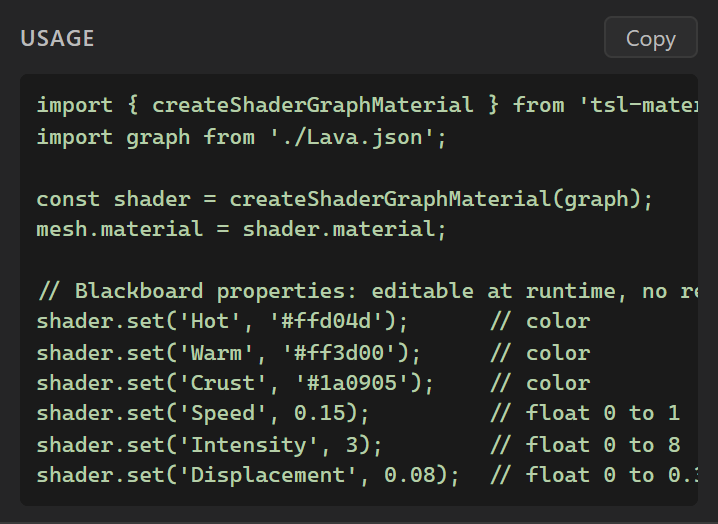
One compiled shader can be shared by many meshes. The Usage panel in the editor always shows the exact snippet for the current graph.
Properties
Blackboard properties become uniforms: change them at runtime without recompiling the shader.
shader.set('Tint', '#ff5a2b');      // color: hex string, number or THREE.Color
shader.set('Speed', 1.5);          // float
shader.set('Offset', [0.5, 0.2]);   // vec2 / vec3 / vec4: array or THREE.Vector*
shader.set('Albedo', texture);      // texture

shader.properties;           // { Tint: 'color', Speed: 'float', ... }
shader.get('Speed');           // current value
Textures
Images uploaded in the editor are embedded in the JSON as data URLs, which is convenient but makes files larger. For production, use a URL in the property (relative URLs resolve against the JSON when using loadShaderGraph) or pass textures in code:
const shader = createShaderGraphMaterial(graph, {
  textures: { Albedo: new THREE.TextureLoader().load('/albedo.png') },
});
API reference
createShaderGraphMaterial(graph, options?)
Compiles a graph and returns a CompiledShader. Options: textures (by property name), baseUrl (for relative texture URLs), textureLoader.
loadShaderGraph(url, options?)
Fetches a JSON graph and calls createShaderGraphMaterial. Returns a promise.
CompiledShader
| Member | Description |
|---|---|
material | The NodeMaterial (MeshStandardNodeMaterial for Lit, MeshBasicNodeMaterial for Unlit). |
properties | Exposed property names and their types. |
set(name, value) | Updates a property without recompiling. |
get(name) | Current value of a property. |
dispose() | Disposes the material. |
compileGraph(graph, options?)
Lower-level compiler used by the functions above. Options: resolveTexture(prop). Throws GraphCompileError (with the offending nodeId) when the graph is invalid.
validateMaterial(renderer, material, geometry, camera, scene)
Compiles the material on the GPU and rejects if the generated WGSL/GLSL is invalid. Useful in tools and tests.
defineNodes(defs), getNodeDef(type), allNodeDefs()
The node registry. See Custom nodes.
The editor
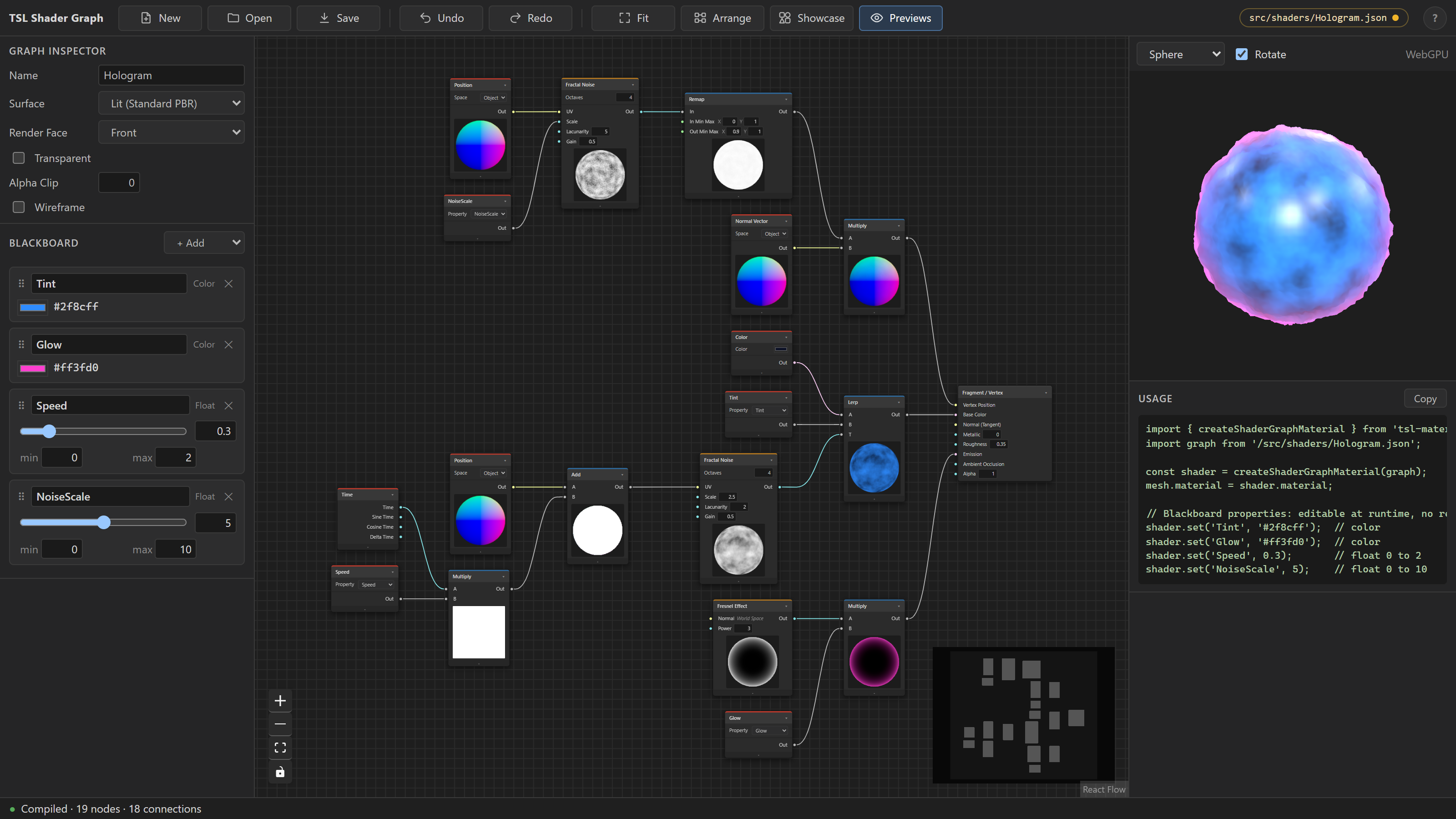
Graph Inspector and Blackboard on the left, the graph in the middle, the 3D preview and the Usage snippet on the right. Hover the ? icon in the top-right corner for every shortcut.
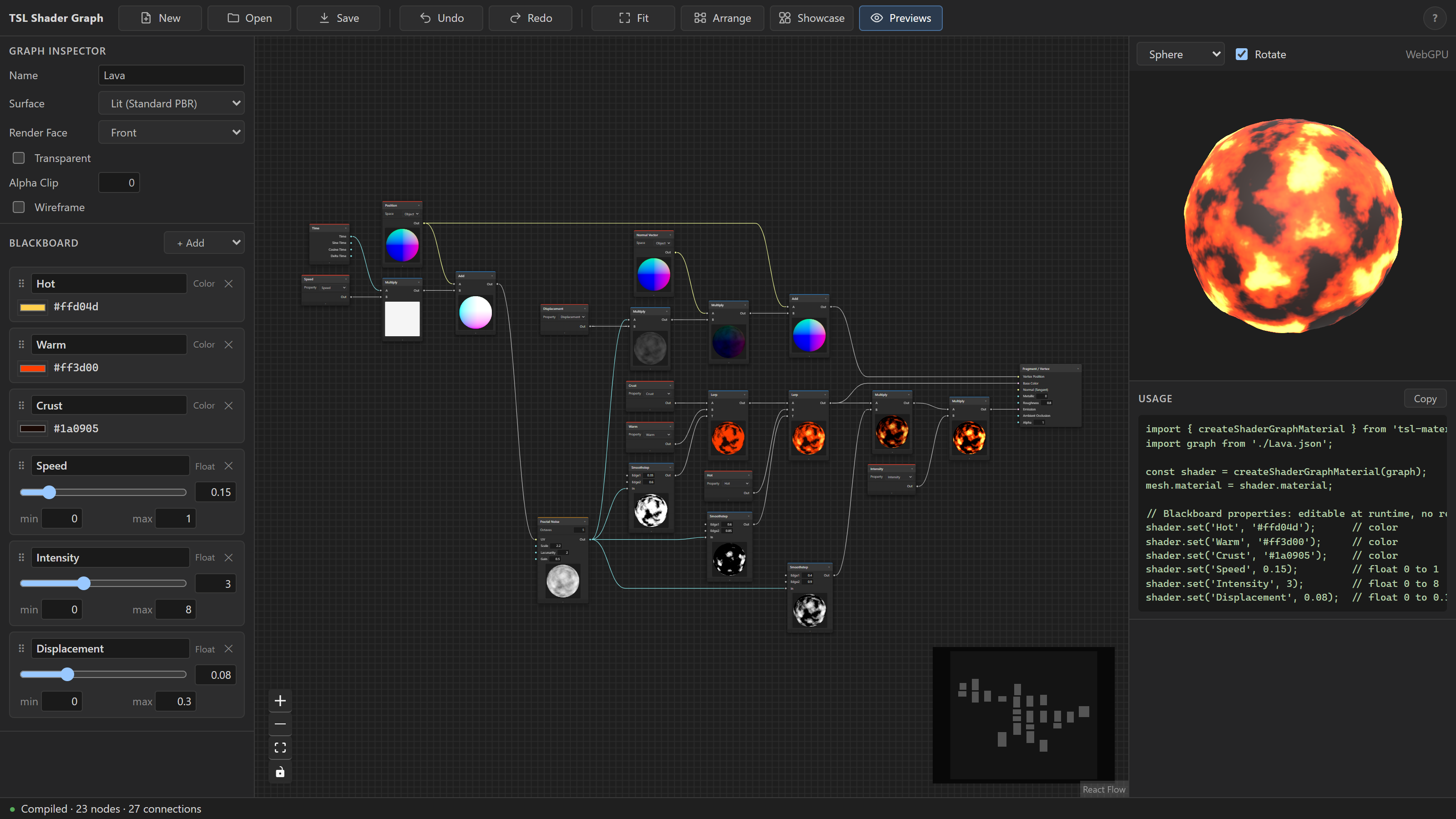
Try it now, nothing to install: open the editor (in the browser, Save downloads the JSON).
Building a graph
- Create a node: right-click the canvas or press Space, type, press Enter.
- Connect: drag from an output to an input. Drop a connection on empty canvas to create a new node already connected.
- Edit values: unconnected inputs have inline fields. Drag the
X/Y/Zlabels to scrub (Shift for bigger steps). - Output: the Fragment / Vertex node has Base Color, Metallic, Roughness, Emission, Normal (tangent space), Ambient Occlusion, Alpha and Vertex Position.
Node previews
Every node shows what it outputs: on a quad, or on a sphere when it depends on position or normals. Nodes with Time upstream animate. Toggle a preview with the bar at the bottom of the node, or all of them with Previews in the toolbar.
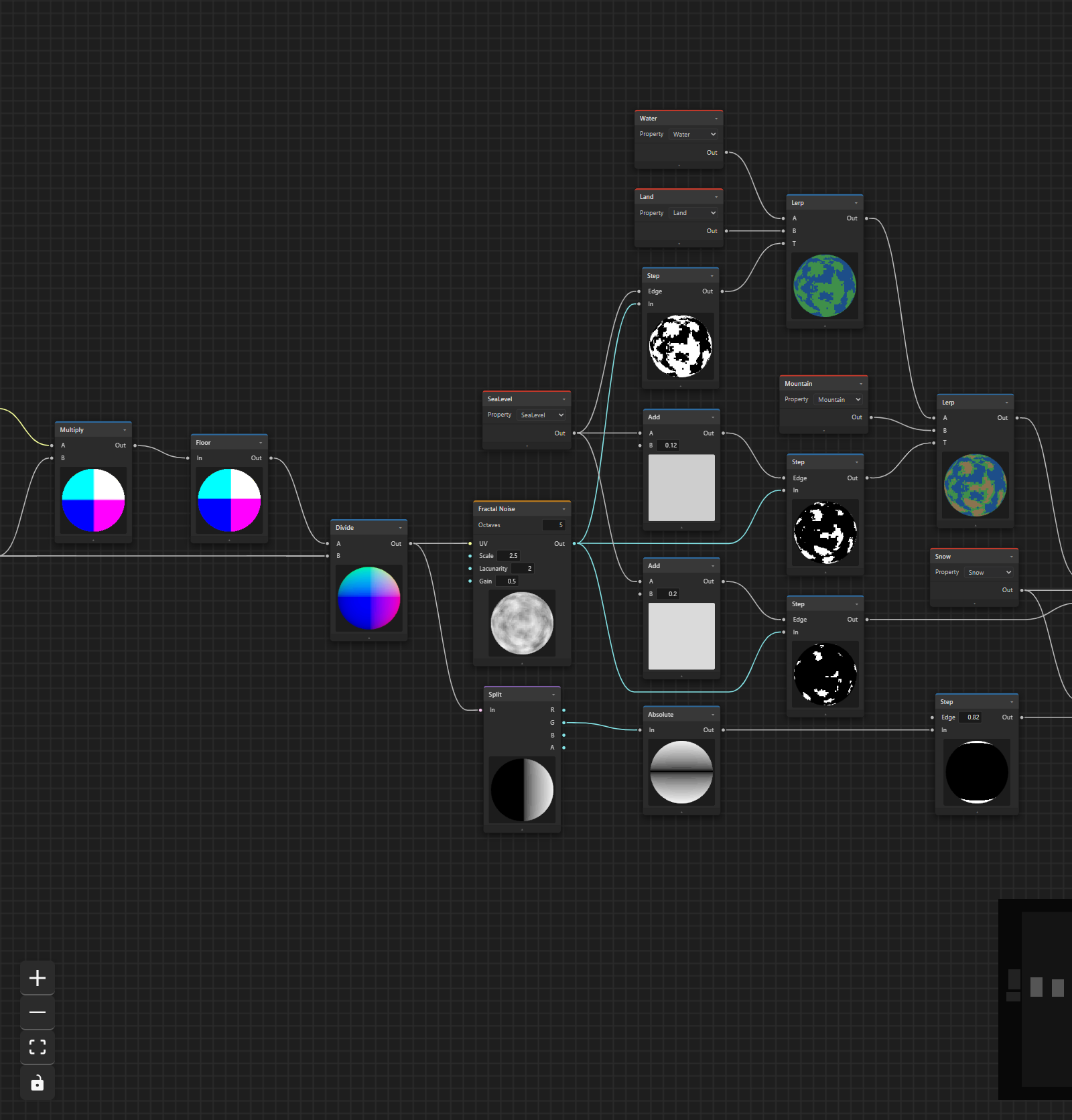
Blackboard
Properties exposed to your code: Float (with a min/max slider), Vector2/3/4, Color and Texture2D. Drag one onto the canvas to read it in the graph.
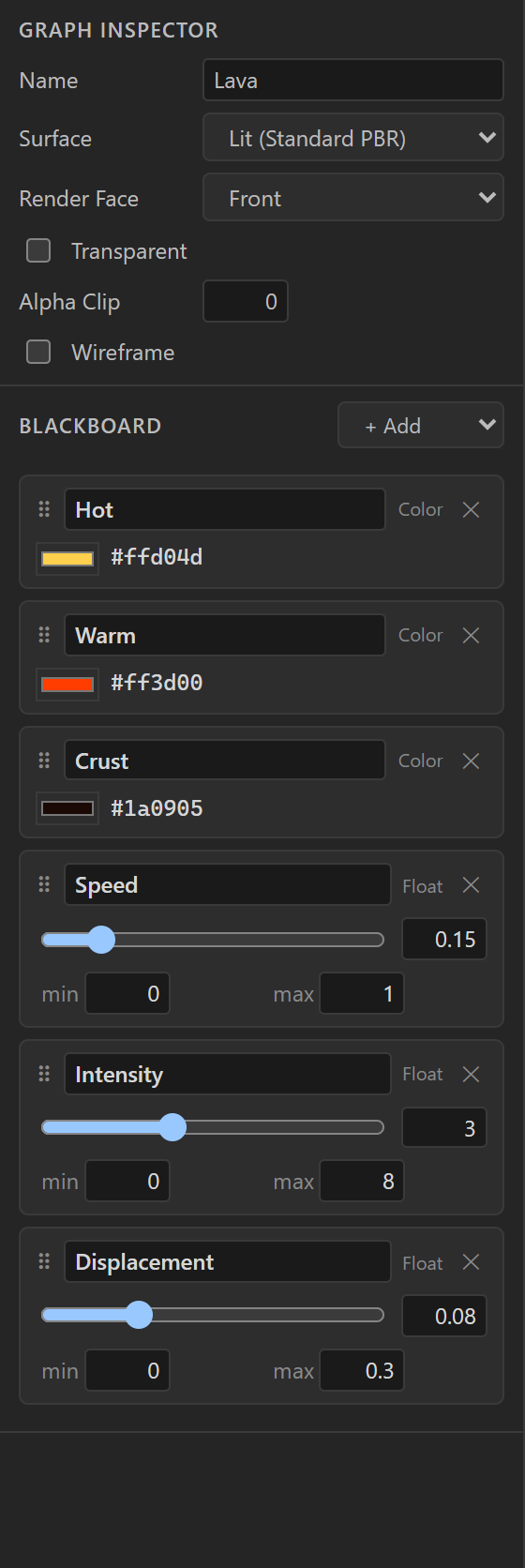
Arrange, groups, collapse
- Arrange (Ctrl+L): lays the graph out in columns, master last, with as few crossings as possible. Long connections are routed through free lanes.
- Groups: Ctrl+G groups the selection, Ctrl+Shift+G ungroups. Drag the header to move the group; drag a node out to remove it or onto a group to add it. Double-click the title to rename.
- Collapse: the arrow in a node's header hides unconnected ports and parameters.
- Box select: drag on empty canvas. Pan with the middle mouse button or Alt+drag.
Project mode
Opened through the Vite plugin or the CLI, the editor works on your project's files: Open lists the shaders in the folder, Save writes them back, and the file you're editing is shown in the top-right corner (a dot means unsaved changes).
Keyboard shortcuts
| Action | Shortcut |
|---|---|
| Create node | Right-click, Space |
| Delete selection | Delete, Backspace |
| Copy · Paste · Duplicate | Ctrl+C Ctrl+V Ctrl+D |
| Undo · Redo | Ctrl+Z Ctrl+Y |
| Save | Ctrl+S |
| Arrange nodes | Ctrl+L |
| Group · Ungroup | Ctrl+G Ctrl+Shift+G |
| Add to selection | Ctrl+click Shift+click |
| Pan view | Middle mouse, Alt+drag |
JSON format
{
  "version": 1,
  "name": "Hologram",
  "settings": { "surface": "lit", "transparent": false, "side": "front", "alphaTest": 0, "wireframe": false },
  "properties": [{ "id": "p_tint", "name": "Tint", "type": "color", "value": "#2f8cff" }],
  "nodes": [{ "id": "lerp", "type": "math/lerp", "position": { "x": 440, "y": -60 }, "values": { "t": 0.5 } }],
  "edges": [{ "id": "e9", "source": "lerp", "sourceHandle": "out", "target": "master", "targetHandle": "baseColor" }]
}
The types are exported by the package (ShaderGraphJSON, GraphNode, GraphEdge, GraphProperty...). The groups, preview, collapsed and route fields are used by the editor only and ignored by the runtime.
Custom nodes
A node is a definition with ports and a build function that returns TSL nodes. Register it before compiling a graph that uses it:
import { defineNodes } from 'tsl-material-graph';
import { sin } from 'three/tsl';

defineNodes([{
  type: 'custom/wave',
  label: 'Wave',
  category: 'Procedural',
  inputs: [
    { id: 'in', label: 'In', type: 'float', default: 0 },
    { id: 'freq', label: 'Frequency', type: 'float', default: 4 },
  ],
  outputs: [{ id: 'out', label: 'Out', type: 'float' }],
  build: (i) => ({ out: sin(i.in.mul(i.freq)).mul(0.5).add(0.5) }),
}]);
Node reference
Generated from the library's node registry.
Loading the node list…
FAQ
Does it work without WebGPU?
Yes. WebGPURenderer falls back to WebGL2, and every node is tested on both backends.
Does the editor end up in my production build?
No. The Vite plugin only runs in dev, and your code only imports the runtime (about 27 KB, plus Three.js).
Can I use it with React Three Fiber?
Yes: the runtime returns a regular Three.js material. Assign shader.material to your mesh.